 WriterMorph
Help › Writing
Composition Mode
Write full screen on a calm page, with your own paper, colors, focus, typewriter scrolling and a daily word count.
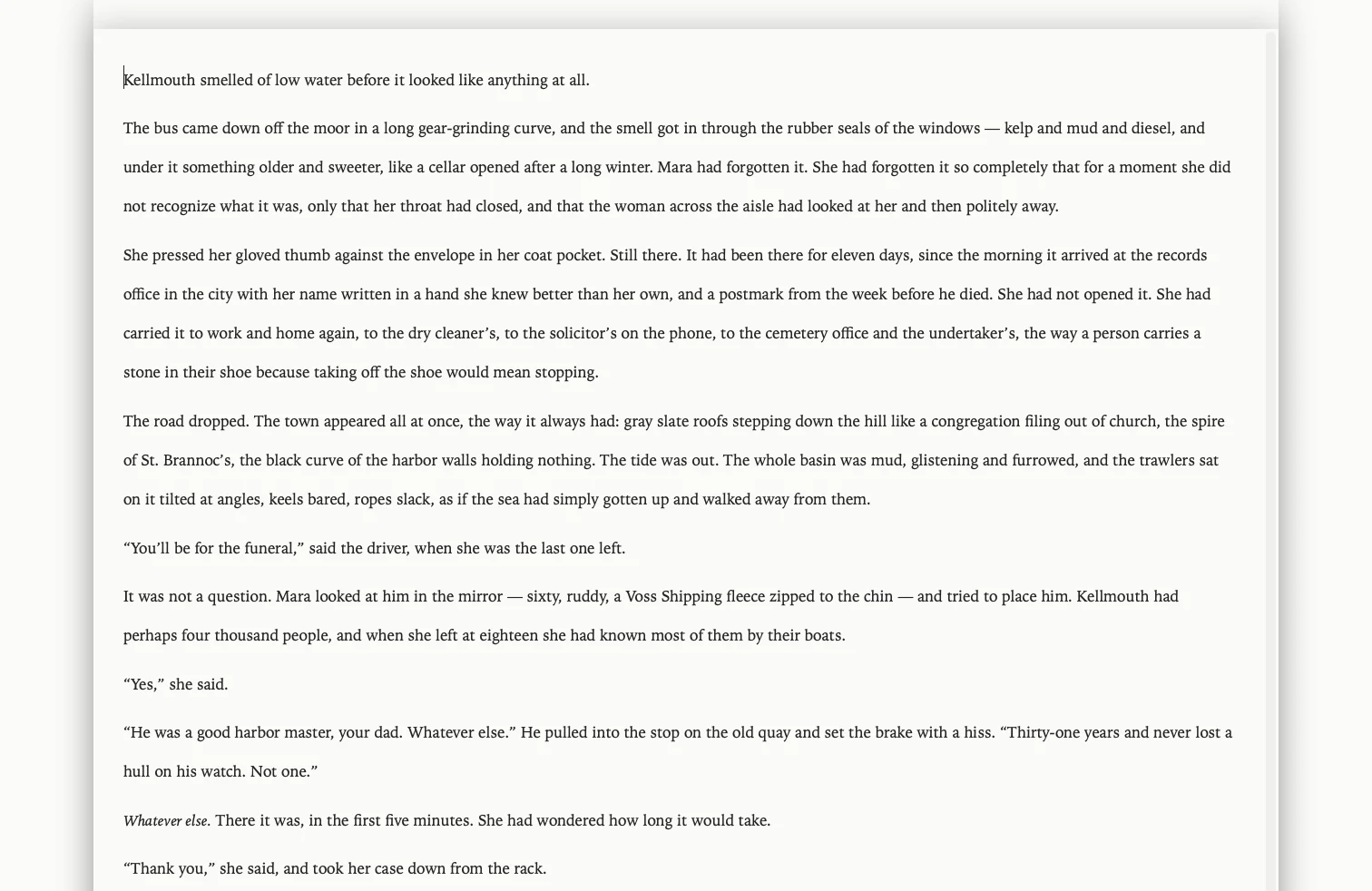
Composition Mode hides everything except your text. The screen becomes a sheet of paper, and the controls step out of the way until you need them.
Enter and leave
- Open a document in the editor, then choose View › Composition Mode or press ⌃⌥⌘F.
- Press Esc, or click the exit button in the bar, to return to where you were. Your text is saved on the way out.
The Composition bar
Move the pointer to the bar to use these controls:
- Scale: make the text bigger or smaller on screen. This is view-only; the document does not change.
- Position: move the paper left or right. Double-click the label to center it again.
- Width: set how wide the paper is. In page view, the pages are fitted into this width.
- Page: switch between continuous text and page view, choose a page size, and show one, two or multiple pages.
- Manuscript: Courier, double-spaced manuscript format, with optional line numbers.
- Focus: dim everything except the current line, sentence or paragraph.
- Typewriter: keep the line you are typing in the middle of the screen.
- Invisibles: show paragraph marks and spaces.
- Comment, Footnote and Notes: add a comment (⇧⌘8) or footnote (⌃⌘8) without leaving the page.
- Print: print the text or save it as a PDF.
- Inspector: the synopsis, notes and keywords in a floating panel (⌘').
- Go to: open another document in Composition Mode (⇧⌘G), or step to the previous or next one (⇧⌘[ and ⇧⌘]).
- Paper: choose paper and text colors. Match App Theme follows the app; any other choice changes only Composition Mode. You can also set a Background Image….
- Paper fade: make the paper see-through so the background shows.
- Auto-hide: let the bar hide while you write, or keep it on screen.
Daily word count
The bar shows how many words you have written in Composition Mode today. Click it to Set Daily Target… or Reset Today's Count.
Pomodoro from the page
If you use the Pomodoro timer, you can start and pause it from the Composition bar without leaving the page.
Tip: Composition Mode works with the same editor as the rest of the app, so revision marks, styles and footnotes all carry over.