 For Mac · 30-day free trial
Plan the story.
Write the book.
WriterMorph puts a visual story planner, a manuscript editor, a writer's timeline and a professional compile studio in one native Mac app, so your plan and your book never drift apart.
macOS 15 Sequoia or later · $49.99 one-time purchase after the trial · No account needed
Your book, seen seven ways
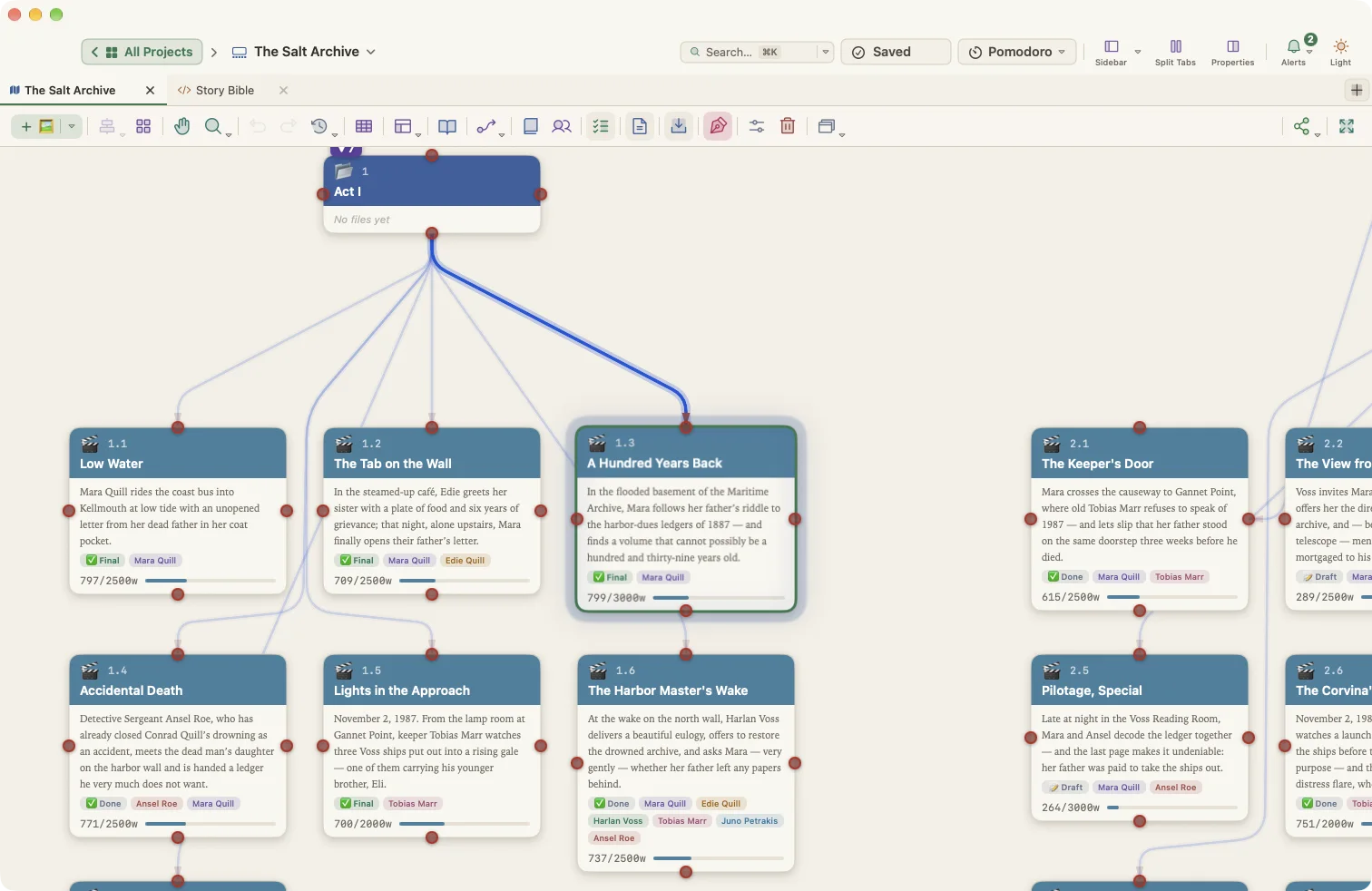
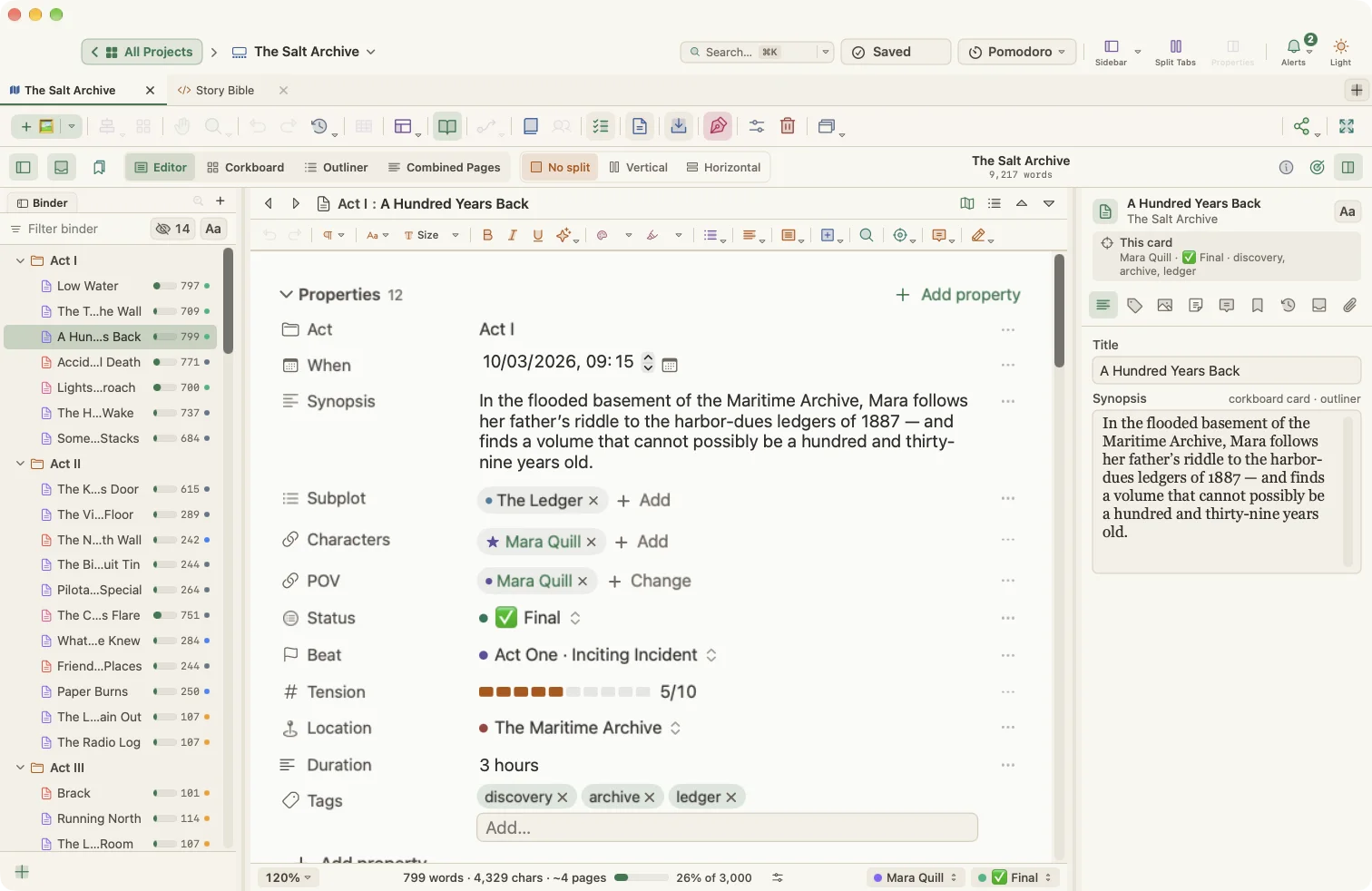
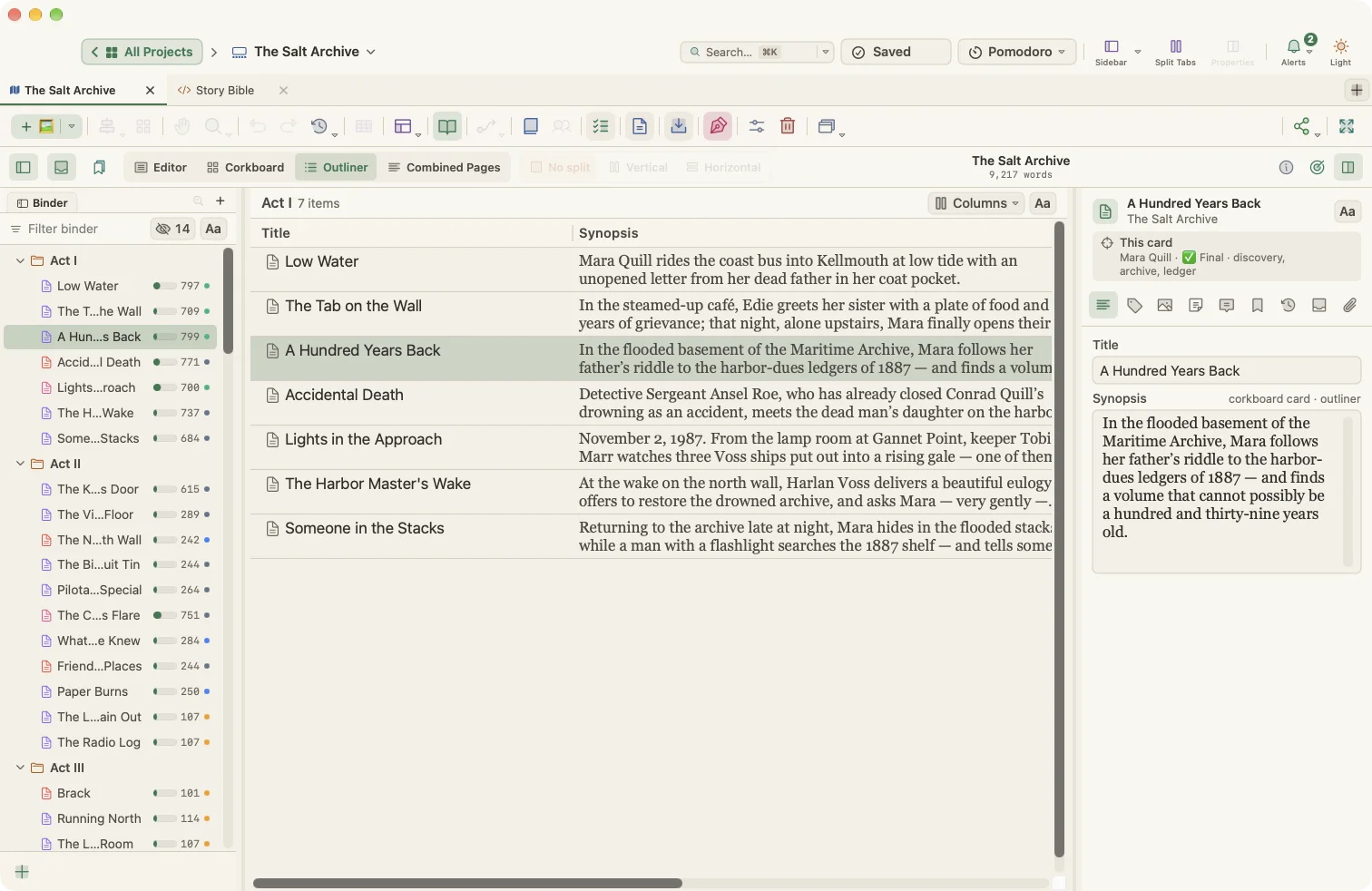
The same cards power every view. Change a synopsis on the corkboard and it changes on the canvas, in the outliner and on the Plot Board.



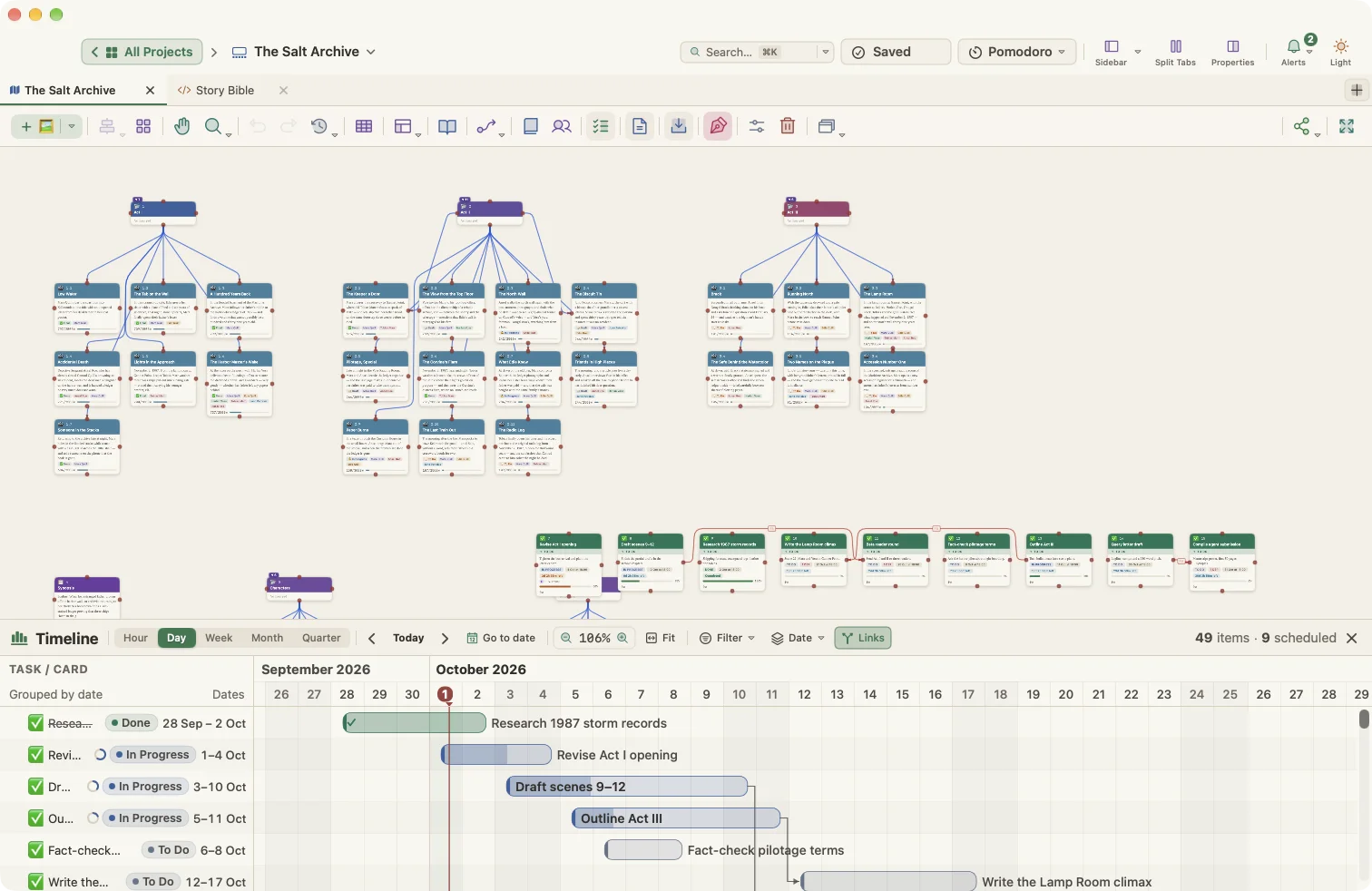
See the whole story before you write it
Start on the Visual Planner: a canvas of cards for scenes, characters, places and ideas. Connect them, colour them, group them, and switch to a hierarchy or mind-map layout in a click.
- Cards with types, colours, tags, status and custom fields
- Connections with labels, line styles and routing
- Automatic layouts, alignment, grid snap and saved views
- Export the board as PNG, JPG or PDF
A manuscript that is the same as your plan
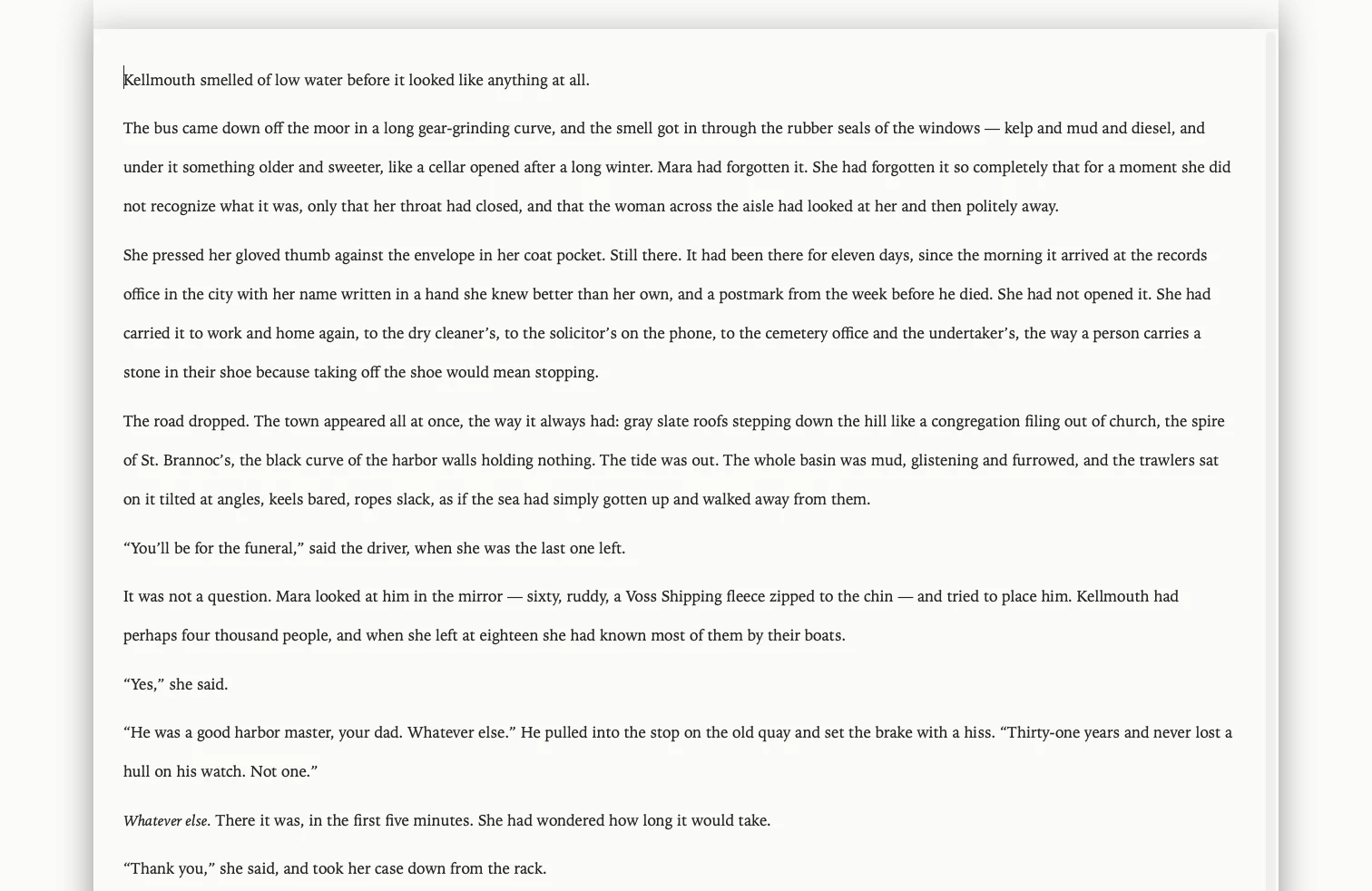
Switch to Manuscript mode and your cards become a binder. Write in a distraction-free editor, review on the corkboard, restructure in the outliner. Nothing is copied: plan and book are one project.
- Binder, editor, corkboard, outliner and combined pages
- Split views, inspector, collections and project search
- Composition mode, typewriter scrolling and focus mode
- Revision colours, snapshots and version history
A writer's timeline, built in
The Writer Timeline shows your scenes against plot structure and story time. Find the sagging middle, the character who disappears for 80 pages, or the week that has two Tuesdays.
- Plot Board over Three-Act, Hero's Journey, Save the Cat or Freytag
- Story-time timeline, outline and flat views
- Cast and place maps across every scene
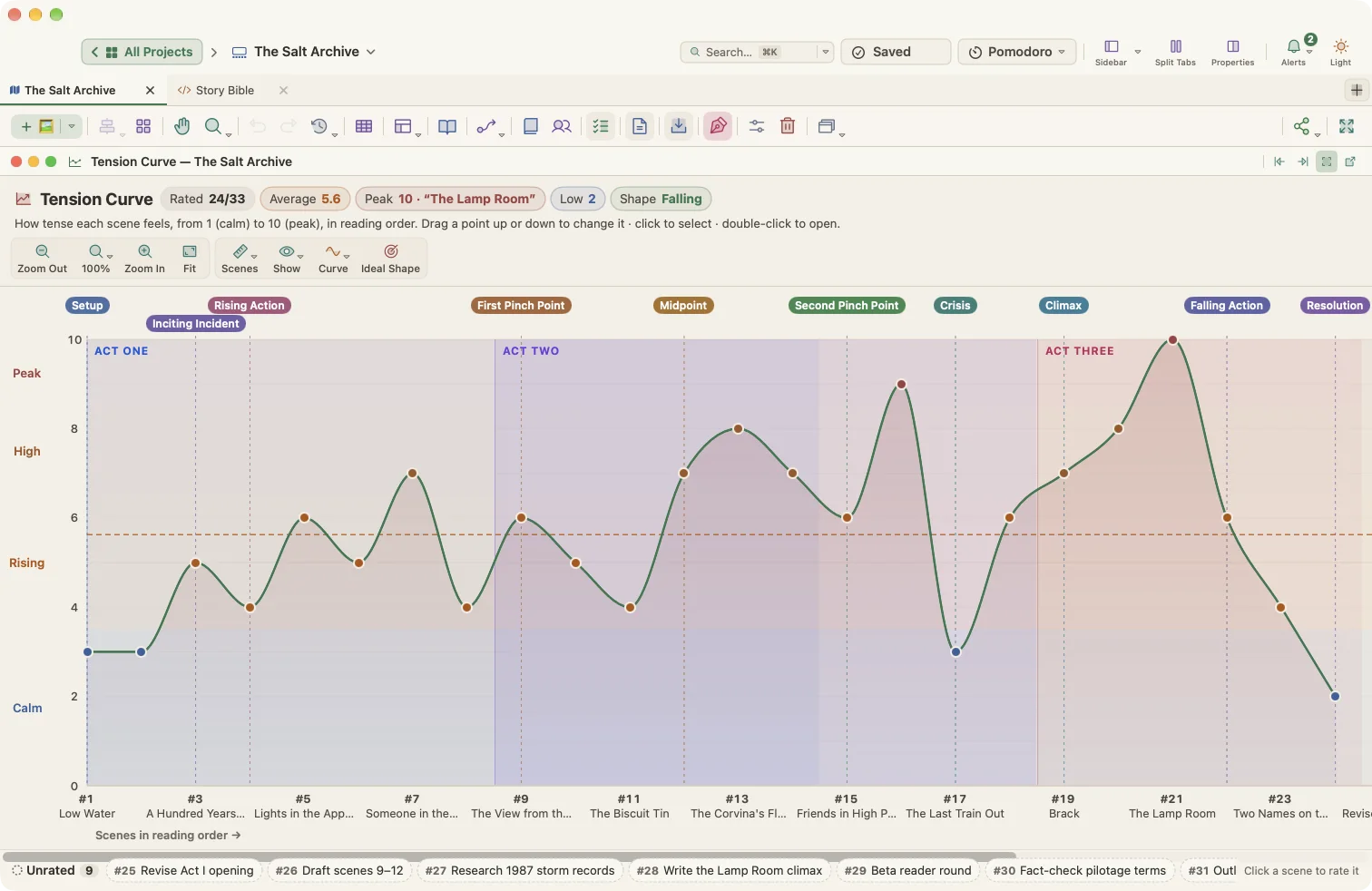
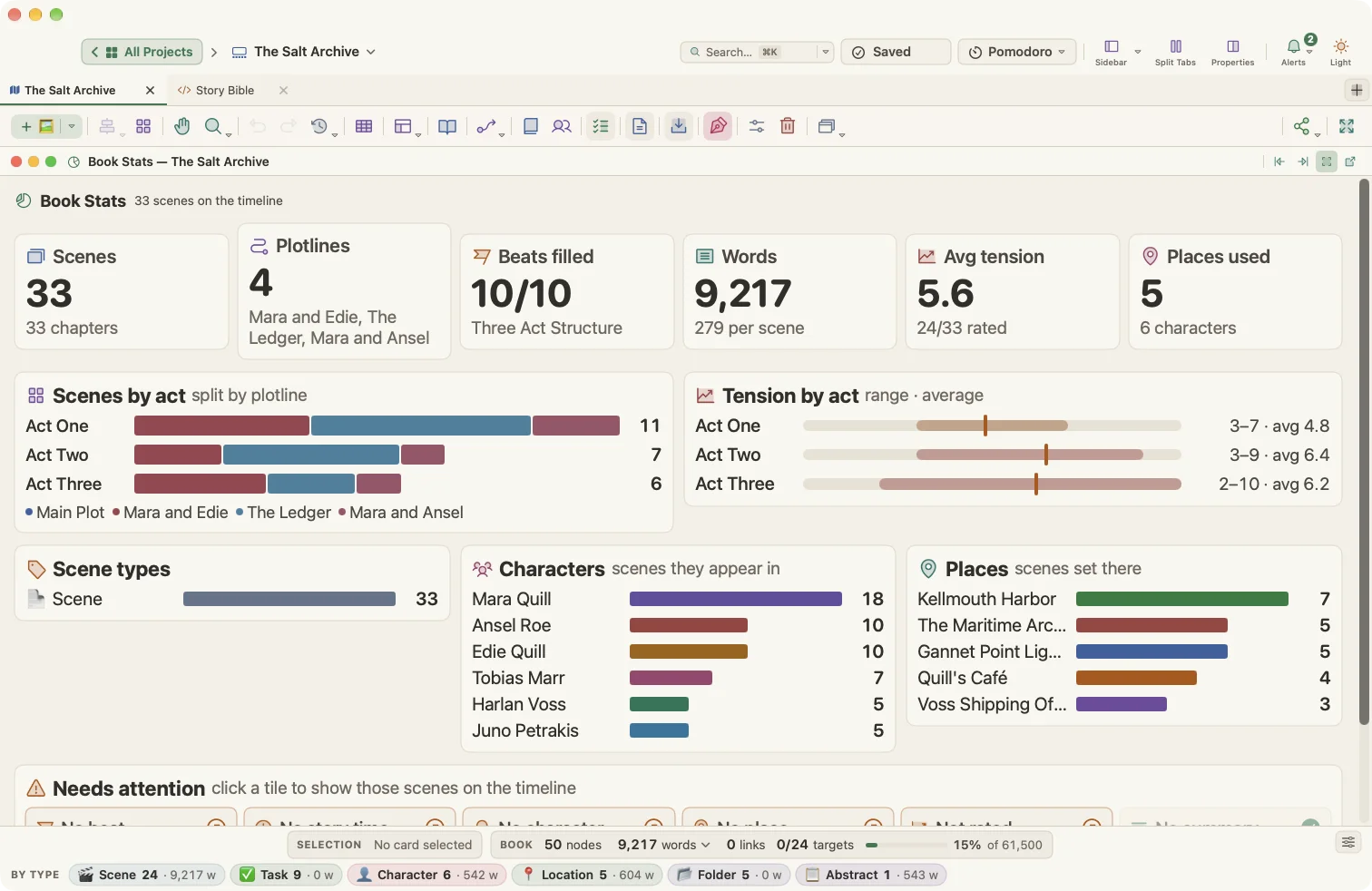
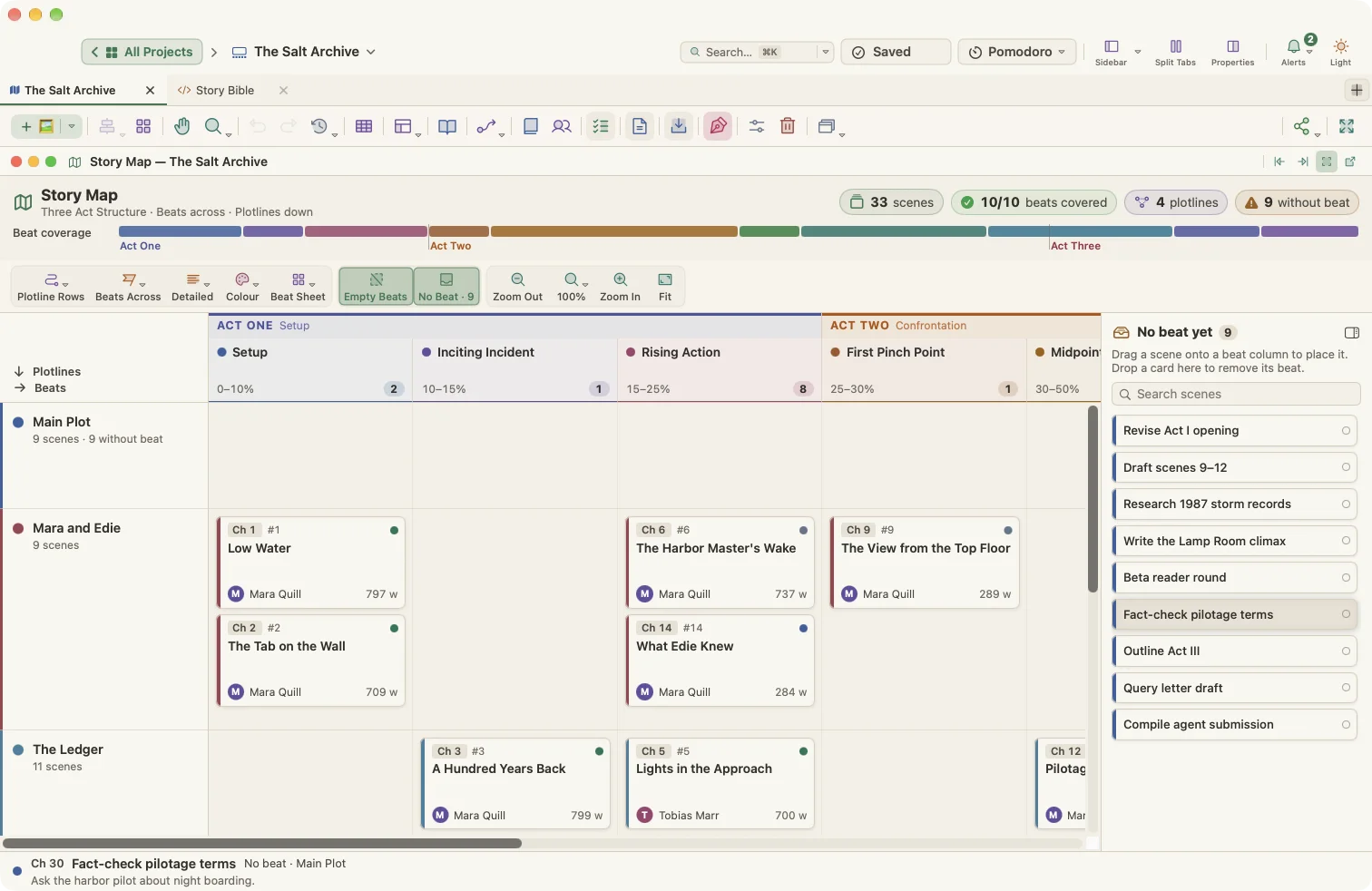
- Tension curve, statistics and a story map
From draft to finished file in one step
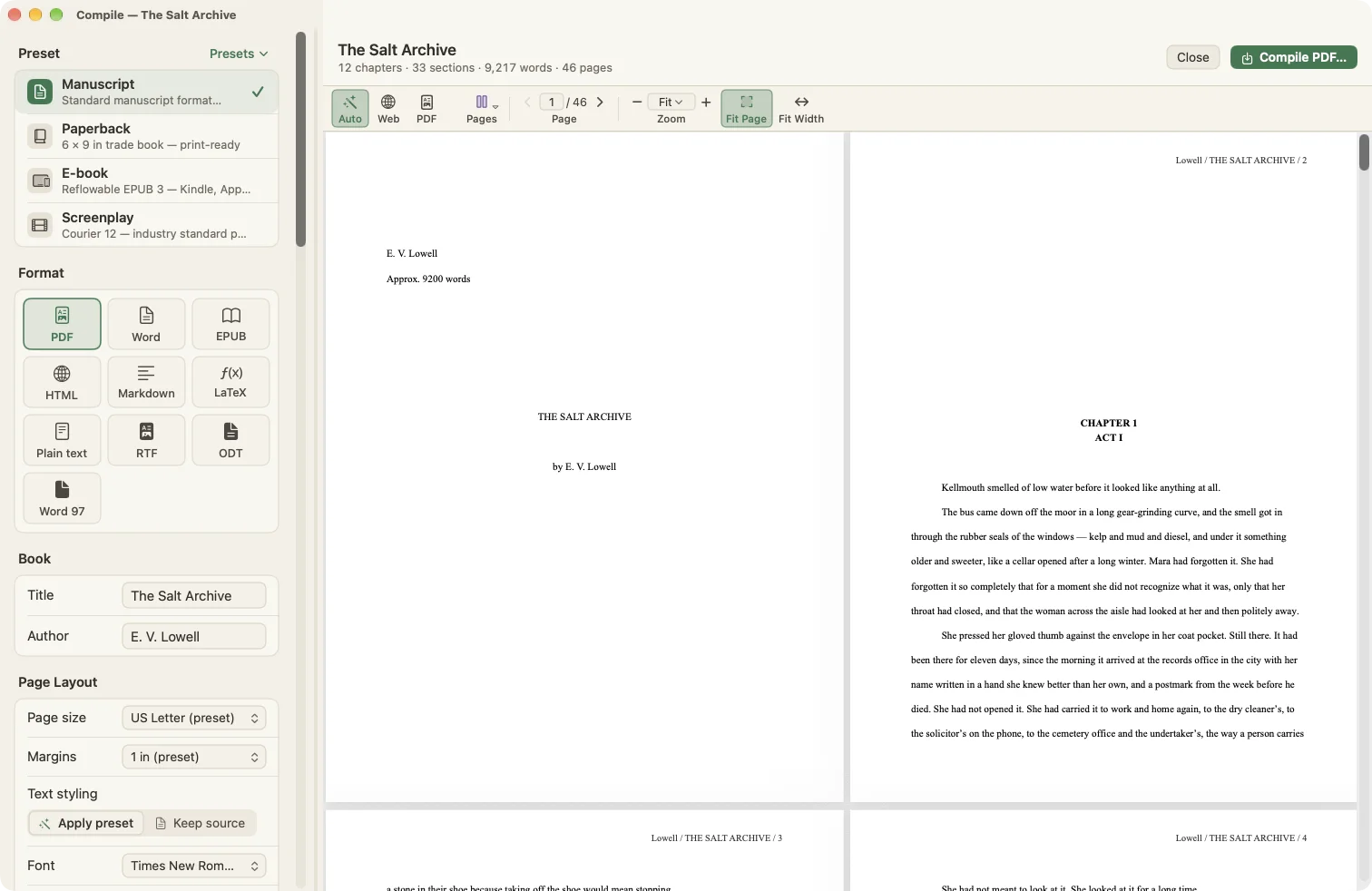
Compile Studio formats the whole manuscript for you: standard manuscript format for agents, a print-ready paperback interior, an e-book or a screenplay. Preview every page before you export.
- PDF, Word (.docx), EPUB 3, HTML, Markdown, LaTeX, RTF, ODT and plain text
- Presets for Manuscript, Paperback, E-book and Screenplay
- Page size, margins, fonts, headers and section layouts
- Your editor text is never changed by compiling
Start with a workflow that fits
29 project templates, from a Save the Cat novel to an APA research paper, give you a working structure on day one.
Novelists
Beat sheets, scene cards, cast maps and a compile preset for agent submissions.
Read the workflowScreenwriters
Sequences and scenes on cards, then a Courier screenplay page at compile.
Read the workflowStudents
Essay templates for MLA, APA and Chicago, plus a study planner and Pomodoro timer.
Read the workflowThesis & research
Chapters, literature notes and a schedule that keeps you on track to submission.
Read the workflowNon-fiction
Book proposals, outlines and research cards beside the chapters they feed.
Read the workflowMemoir
Memories on a real timeline, so the book's order and life's order can differ.
Read the workflowSee all use cases · Download sample projects · Browse templates
The details professionals notice
Every view is built for long projects: thousands of words, dozens of characters, months of deadlines.


Stop juggling a writing app, a plotting app and a timeline app
Most writers stitch together separate tools for planning, drafting and keeping time straight, then copy changes between them by hand. In WriterMorph they are views of one project.
| WriterMorph | The usual setup | |
|---|---|---|
| Visual card canvas for planning | Separate plotting app | |
| Binder, corkboard and outliner | Separate writing app | |
| Plot board with beat structures | Separate plotting app | |
| Story-time timeline and cast maps | Separate timeline app | |
| Compile to PDF, Word and EPUB | Separate writing app | |
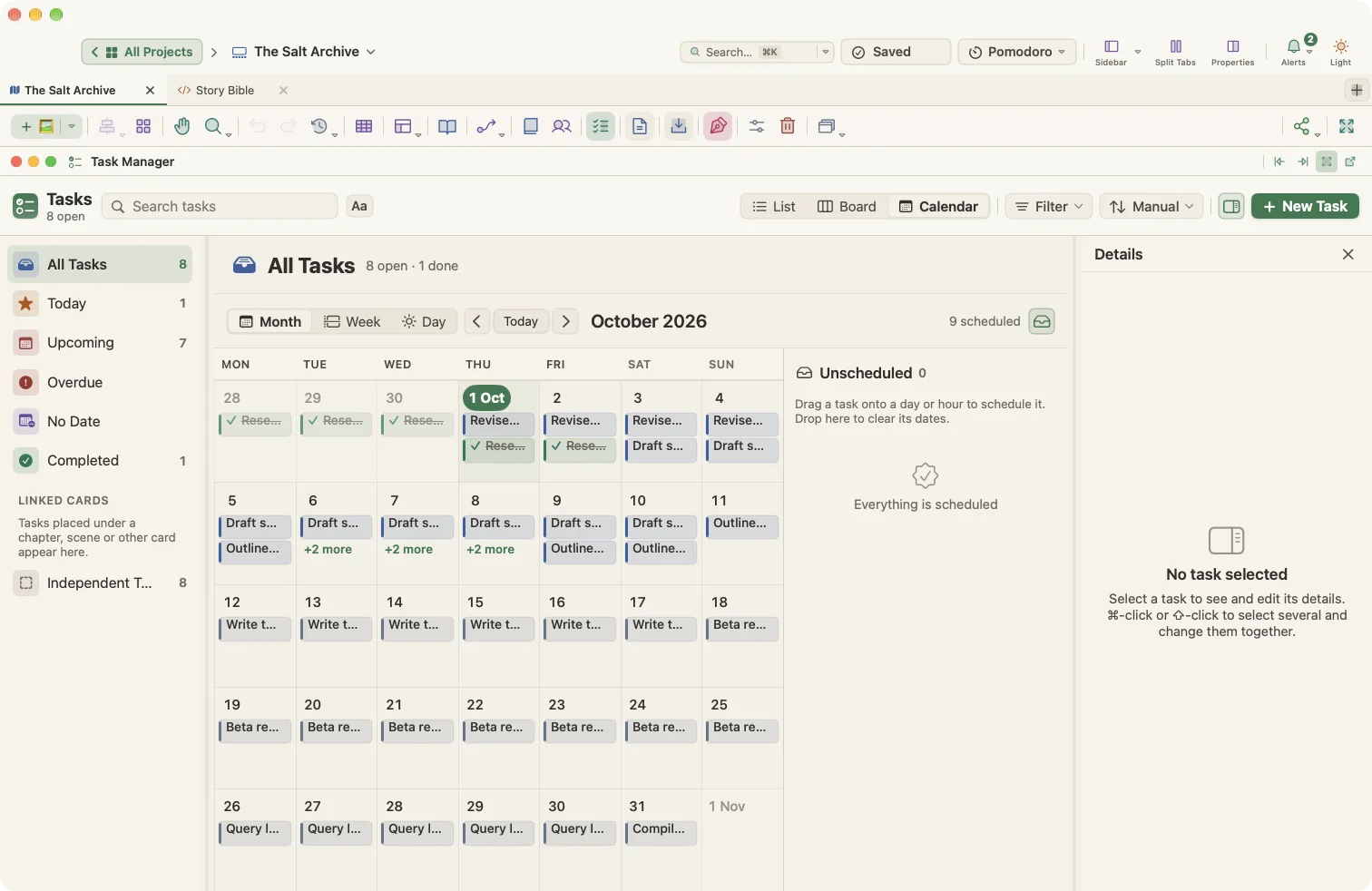
| Tasks, schedule and Pomodoro | Separate to-do app | |
| Everything in one project file | ||
| One-time price, no subscription |
Export to the format they asked for
Manuscript
Standard manuscript format for agents and editors, with a title page and running header.
Paperback
A 6 × 9 in trade interior ready for print-on-demand, with chapter openings and page numbers.
E-book
Reflowable EPUB 3 with a table of contents for Apple Books, Kobo and Kindle.
Screenplay
Courier 12 on an industry-standard page for scripts and stage plays.
Private by design
On your Mac
Projects are ordinary .wmorph packages in a folder you choose. Back them up, sync them, keep them forever.
No account
Open the app and write. No sign-up, no login, no cloud you didn't choose.
No AI ghostwriter
WriterMorph doesn't generate prose or train on your text. Every sentence in your book is yours.
No tracking
No analytics or telemetry in the app. What you write is never sent to us.
Questions
Is WriterMorph a replacement for my writing app?
Yes. It has a binder, corkboard, outliner, a full rich-text editor, snapshots, revision mode and a compile studio, and it adds a visual planner and a story timeline on top.
Can I bring my existing work?
You can import an Obsidian vault as a new project, and paste or drag in rich text and images. See Projects, files and backups.
What happens when the trial ends?
You keep all of your projects and files. To keep writing in the app, buy the one-time purchase for $49.99. Your work is never locked away.
Is there a Windows, iPad or web version?
Not yet. WriterMorph is a native Mac app built with Apple's own frameworks. We want to get the Mac experience right first.
Does WriterMorph use AI?
No. There is no text generation and nothing you write is sent anywhere. WriterMorph is a tool for writers, not a replacement for them.
Where are my files?
In a folder on your Mac that you choose. Each project is a single .wmorph package that you can back up, move or sync like any other document.

Your next book starts here
Download WriterMorph and try every feature free for 30 days.